 Share Files
Send files to any screen.
Share Files moves photos, videos, music and documents between your devices over your own Wi-Fi. No cables, no account, no ads.
Free. No in-app purchases. Works on Android 8.0 and newer.
Features
Fast between devices, simple to use.
One app for your phone, tablet and TV. Everyday actions are one tap; the extras stay out of the way until you need them.
Send to any screen
Pick photos, videos, music, documents or whole folders, choose a device on your Wi-Fi and press Send. Text and links too.
Pair once with a PIN
The first time, type the PIN shown on the other device. After that it is remembered and transfers are encrypted (HTTPS) and checked.
Receive on phone, tablet or TV
Leave Receive on and files arrive in your Downloads folder. A notification opens the file with one tap.
Receive from any browser
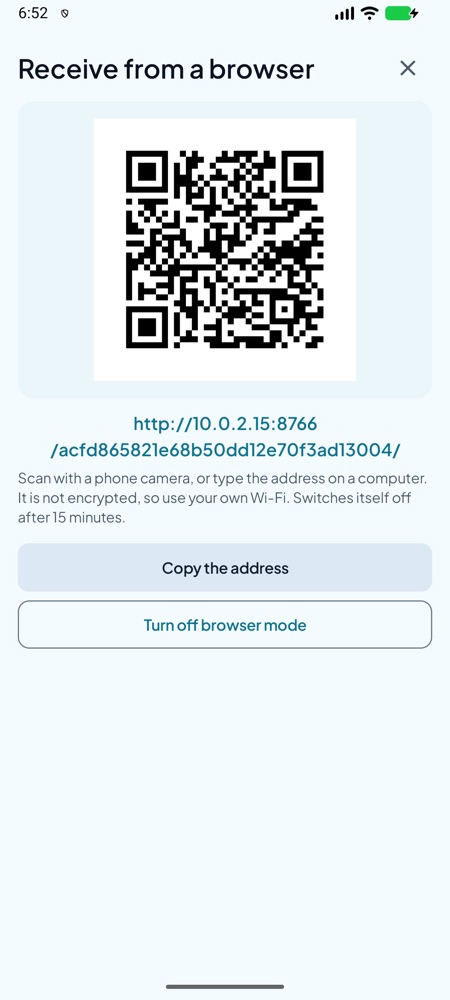
No app on the other device? Show a web address and QR code. It switches itself off after 15 minutes.
Play on the big screen
Stream a video from your phone to the TV without copying it first.
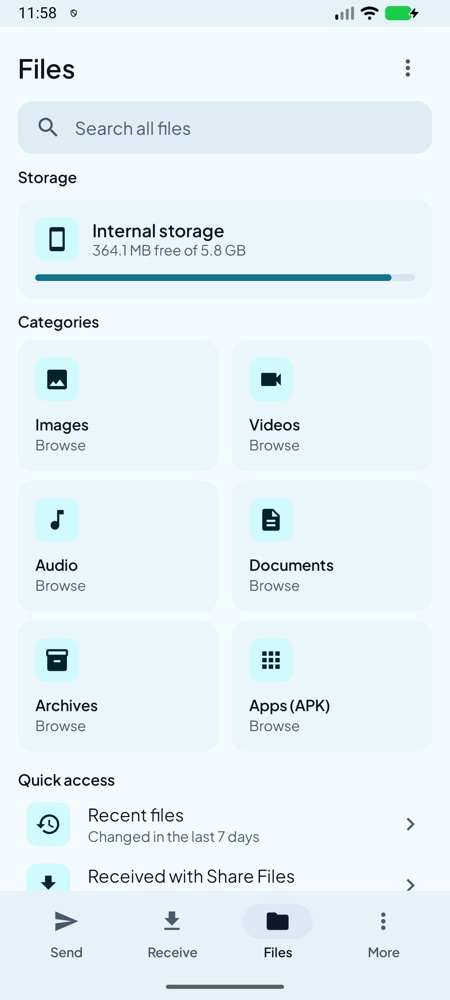
A real file manager
Browse, search, copy, move, rename, zip and delete. Deleted files wait 30 days in Trash. Install APKs and app bundles.
Your NAS and PC too
Add network locations over SMB, FTP, SFTP or WebDAV and browse them like a folder.
Clean up
Find large, duplicate and temporary files and review them before anything is removed.
Screens
Clear, calm and made for big and small screens.
Privacy
Your files stay yours.
Files travel straight from one device to another. There is no server of ours in between.
Nothing goes through us
Files, text and links go only to the device you choose, on your own network. They are never uploaded to us.
Encrypted and verified
Transfers use HTTPS with a certificate that identifies the receiving device, and each file is checked so a damaged one is rejected.
Reports are your choice
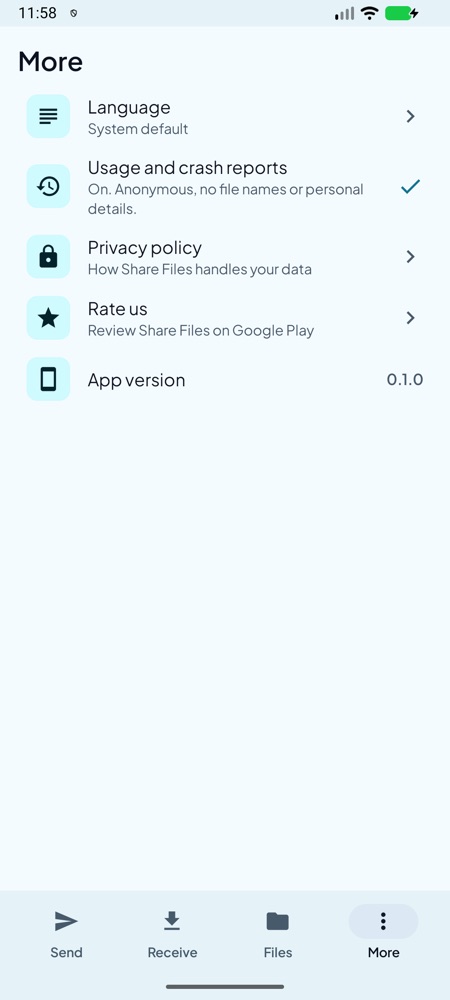
Anonymous usage and crash reports are off until you turn them on, and never include file names or what you send. Read the privacy policy.
FAQ
Questions, answered.
Do I need an account or internet?
No account. Both devices need to be on the same Wi-Fi or local network. Nothing is sent over the internet.
Which devices does it work on?
Android phones and tablets (Android 8.0 and newer) and Android TV or Google TV. Install it on both devices, or use browser mode to send to a device without the app.
What is the PIN for?
The first time a device sends to another, it asks for the PIN shown on the receiver. After that the two devices are paired and no PIN is needed. You can remove paired devices at any time.
How does browser mode work?
Turn it on in Receive and the screen shows a web address and QR code. Open it in any browser on the same Wi-Fi to send files. It is not encrypted, uses a long random address and turns itself off after 15 minutes.
Is it free?
Yes. No ads and no in-app purchases.
What data do you collect?
None unless you choose to share anonymous usage and crash reports, which are off by default. They never include file names, device names, addresses or anything you send. See the privacy policy.
Which languages are supported?
English, Español, Português (Brasil), Français, Deutsch, Bahasa Indonesia, हिन्दी, العربية and Türkçe. Pick one under More, then Language.
Send your next file the easy way.
Share Files is coming to Google Play. Until then, read how it protects your data.
Privacy Policy